

The Automation Lifecycle Explained: From Process Discovery to Runtime Monitoring

Every automation in production has a history. Someone identified the process, captured how it worked, decided it was worth automating, built it, released it, and now keeps it running. When any one of those steps is rushed or skipped, the consequences show up later as rework, delays, or failures in production.
Understanding the full automation lifecycle is how Automation CoE leaders turn individual bots into a program that scales predictably. Here is how each stage works, what it produces, and where programs most often lose time and value.
What Is the Automation Lifecycle?
The automation lifecycle is the end-to-end sequence of stages an automation moves through, from identifying and capturing a process to building, deploying, and monitoring it in production.
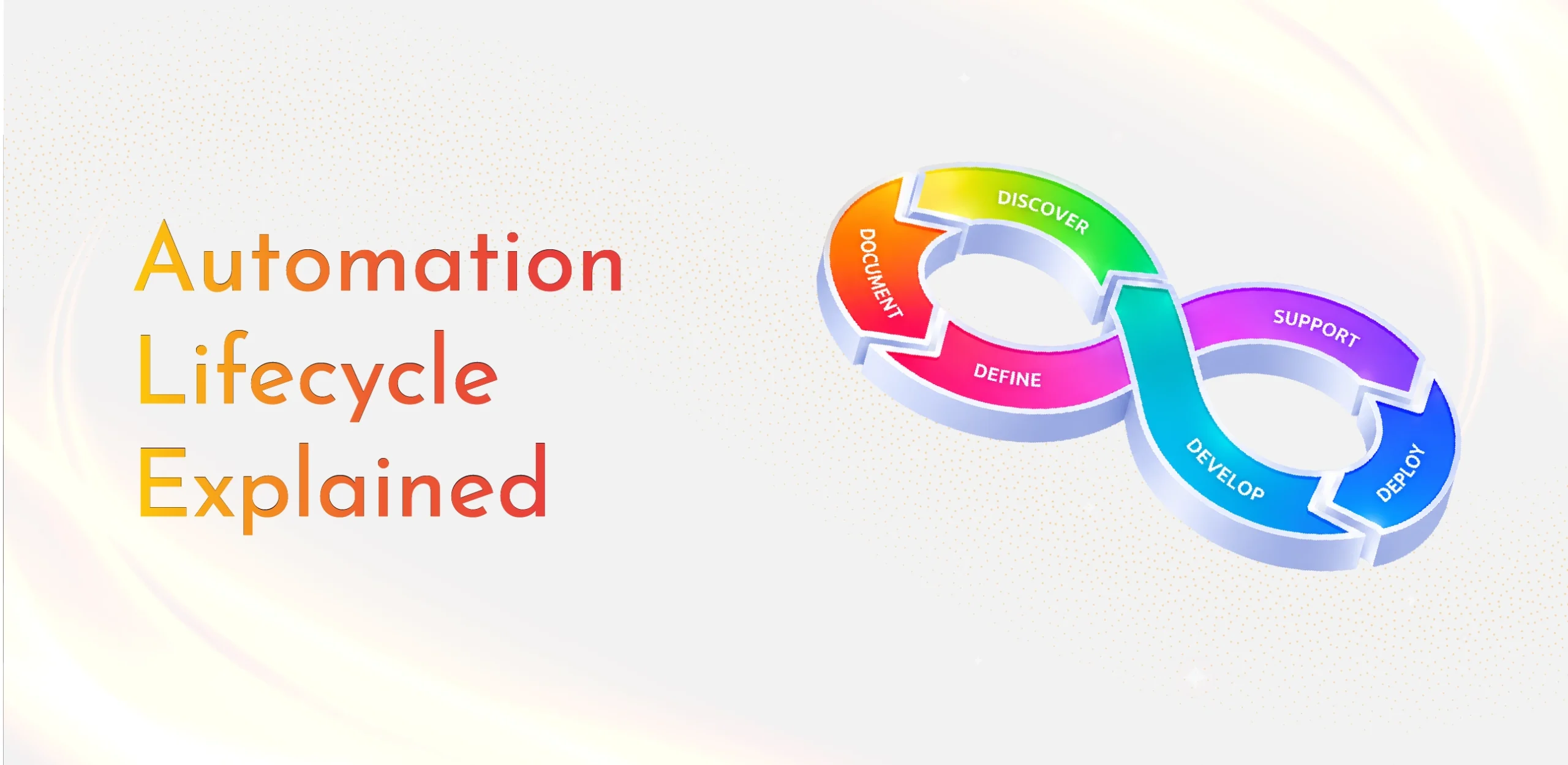
AutomationCOE structures this as the 5D1S lifecycle: Discover, Document, Define, Develop, Deploy, and Support. The first five stages take a process from idea to production. The sixth, Support, keeps it reliable for as long as it runs, and its insights feed back into the next round of discovery.
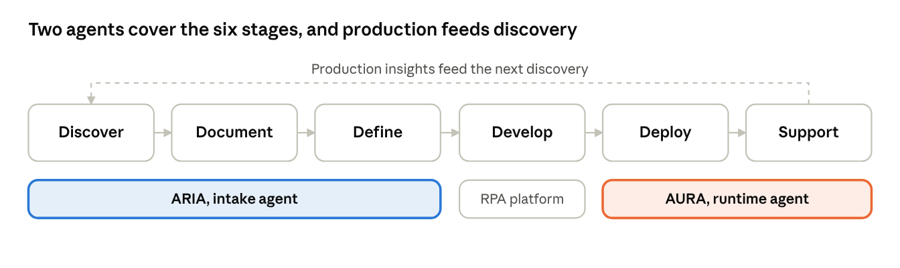
The 5D1S automation lifecycle · six stages, two AI agents
Why Does the Automation Lifecycle Matter for Enterprises?
A clearly defined lifecycle gives every automation the same path to production. It sets expectations for what each stage must deliver, clarifies who owns each handoff, and creates checkpoints where weak candidates can be stopped before they consume development capacity.
For executive leaders, it also creates visibility. When every automation moves through the same stages, cycle times, bottlenecks, costs, and outcomes can be measured and improved across the entire program.
The Six Stages of the Automation Lifecycle Explained
1. Discover: Capturing How the Process Really Works
Discovery identifies candidate processes and captures how work is actually performed, including variations and exceptions that rarely appear in official procedures. Traditionally this relies on SME workshops and interviews. Increasingly, it starts with a recording of the process as a user performs it.
2. Document: Turning Knowledge Into Requirements
The captured process is translated into a Process Definition Document (PDD) that describes every step, rule, input, system, and exception. Test cases and an initial feasibility view are produced at the same time. Documentation quality directly determines how much rework happens later.
3. Define: Deciding What to Build
In the Define stage, the CoE finalizes the solution design, estimates effort, calculates ROI, and secures sign-off from business and technical stakeholders. This is the key go or no-go checkpoint before development capacity is committed.
4. Develop: Building and Testing the Automation
Developers build the bot on platforms such as UiPath, Automation Anywhere, Blue Prism, or Microsoft Power Automate. The automation is then tested against the defined test cases, including exception paths, before user acceptance testing.
5. Deploy: Releasing Into Production
Deployment moves the automation into production through a controlled rollout. Environments, credentials, and dependencies are validated, and release gates confirm the automation is ready before it handles live transactions.
6. Support: Monitoring and Maintaining in Production
Once live, automations need continuous runtime monitoring. Support teams track execution, detect failures, perform root cause analysis, manage SLAs, and maintain bots as connected applications change. Insights from this stage inform future discovery and prioritization.
Stage Outputs and Owners at a Glance
| Stage | Key outputs | Primary owners |
| Discover | Process recordings, candidate list | Business SMEs, business analysts |
| Document | PDD, test cases, initial feasibility | Business analysts, CoE |
| Define | Solution design, effort estimate, ROI, sign-off | CoE leadership, solution architects |
| Develop | Tested automation | Automation developers, QA |
| Deploy | Production release | CoE, IT operations |
| Support | Monitoring, incident resolution, SLA reporting | Support and operations teams |
Where Do Most Automation Programs Lose Time and Value?
In most enterprises, the lifecycle breaks down at two ends.
At intake (Discover and Document), manual workshops and analyst-written documentation can take weeks per process. Inconsistent or incomplete requirements then cause rework during development.
At runtime (Support), automations depend on applications, APIs, and infrastructure the automation team does not control. Failures often go undetected until business users report them, and alerts point to symptoms rather than root causes.
The middle stages matter too, but improving intake and runtime typically delivers the largest gains in speed, reliability, and total cost of ownership.
How Should Enterprises Measure Success Across the Automation Lifecycle?
Tracking a small set of metrics at each stage shows where the program is healthy and where it is stalling:
| Metric | What it reveals |
| Intake-to-production time | How quickly ideas become live automations |
| Documentation cycle time | How long it takes to produce a sign-off-ready PDD |
| Development rework rate | How complete and accurate the requirements were |
| Automations delivered per quarter | Overall pipeline throughput |
| Bot uptime and SLA attainment | Reliability in production |
| Mean time to resolution (MTTR) | How quickly incidents are diagnosed and fixed |
| Realized ROI | Whether projected value is delivered after go-live |
How AutomationCOE Supports Every Stage of the Lifecycle
AutomationCOE, developed by Tecnoprism, is a unified platform that connects process discovery and runtime assurance across the 5D1S lifecycle through two AI agents.
ARIA, the intake agent, powers Discover, Document, and Define. It turns a process recording into a sign-off-ready PDD, test cases, feasibility analysis, complexity score, and effort estimate, with PII anonymized before any output is shared. According to AutomationCOE, ARIA makes documentation 92% faster than manual methods.
AURA, the runtime agent, powers Deploy and Support. It integrates with orchestrators such as Automation Anywhere, UiPath, and Microsoft Power Automate, validates readiness before each run, maps dependencies, and traces incidents to their root cause. AutomationCOE reports 70% fewer incidents and 5x faster root cause analysis with AURA in place.
Between them, development teams receive complete requirements at the start and reliable operational support after go-live.
Final Thoughts
The automation lifecycle is more than a sequence of tasks. It is the operating model that determines how fast an enterprise can scale automation and how much value each bot delivers over its lifetime. Programs that strengthen both ends, intake and runtime, spend less time on rework and incidents and more time delivering new automation.
Frequently Asked Questions
What are the stages of the automation lifecycle?
What is the difference between process discovery and runtime monitoring?
Why do automation projects take so long to reach production?
What is a Process Definition Document (PDD)?
Why is runtime monitoring important for automation?
Which AutomationCOE agents cover the automation lifecycle?

Ready to put these ideas into practice?
See how Automation COE transforms enterprise intelligence into measurable business outcomes.